

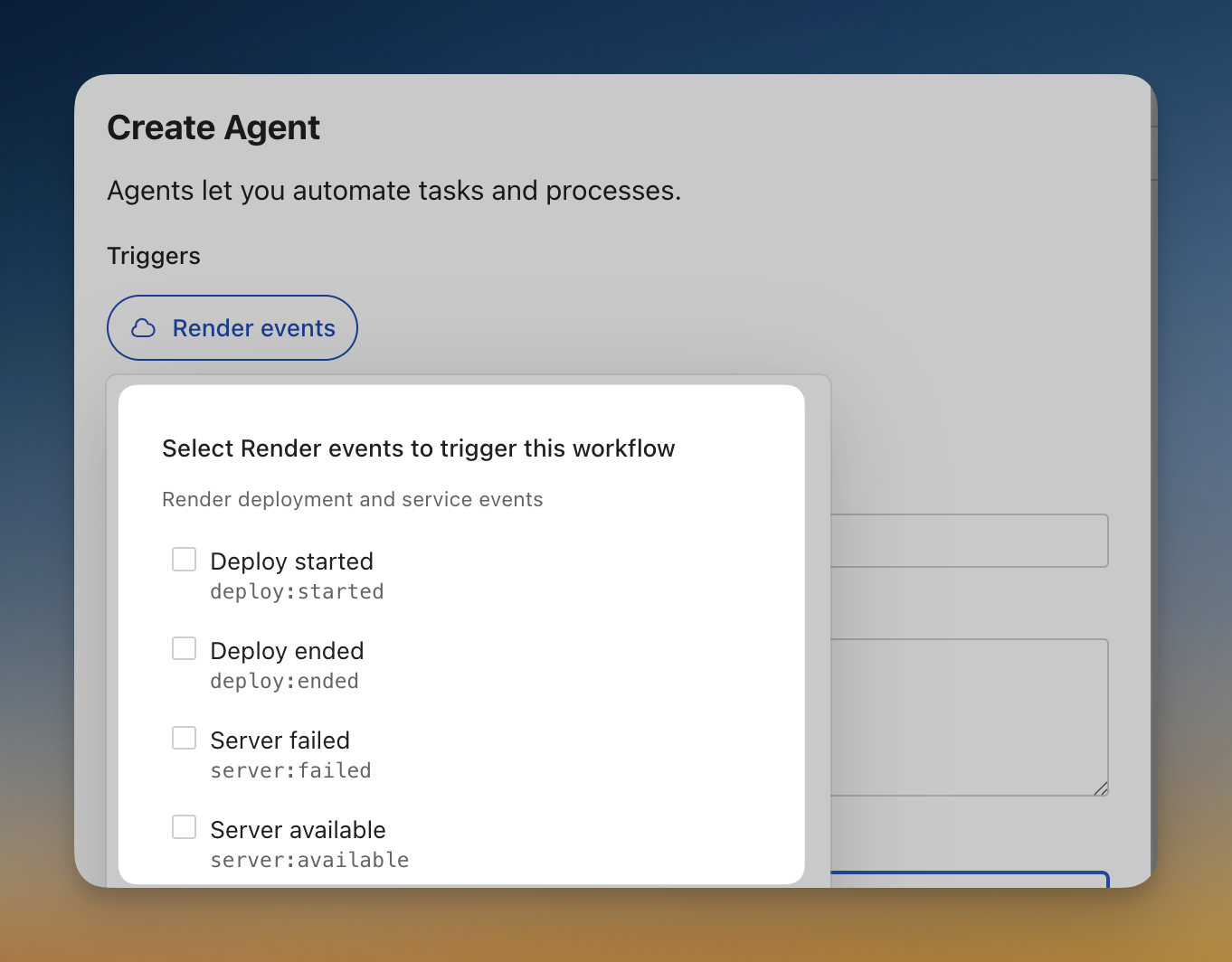
Render is now a first-class trigger source for Cased workflows. When deployments fail, services crash, or instances scale, your agents jump into action automatically—investigating issues, gathering context, and keeping your team informed.
Simple setup
Connect your Render webhook to Cased in two steps:
- Go to your Render connection in Cased to get your webhook URL
- Add it in Render Dashboard → Account Settings → Integrations → Webhooks
Events start flowing immediately.
Available triggers
Workflows can respond to all the deployment and service events that matter:
- Deploy started / ended - Track deployments from start to finish
- Server failed / available - Know instantly when services crash or recover
- Service suspended / resumed - Monitor service lifecycle changes
- Instance scaled - Catch auto-scaling events as they happen
Real world examples
Investigate failed deployments:
Get the build logs and figure out what went wrong.
Look at the recent commits to find the breaking change.
Let me know if we should roll back to the previous deploy.
Respond to service outages:
Check the service logs for errors and exceptions.
See if this is related to a recent deployment.
Post a summary to #incidents on Slack with next steps.
Enhanced metrics
We’ve also leveled up our Render metrics integration. Your agents can now query detailed performance data:
- CPU and memory - Usage, limits, and scaling targets
- HTTP performance - Latency percentiles (p50, p95, p99) and request counts by status code
- Database health - Active connections, replication lag, disk usage
- Historical data - Up to 30 days of metrics at minute-level resolution
Ask your agent “What’s the p99 latency for our API service this week?” and get real answers.
Event context
When Render triggers a workflow, you get full context to work with:
| Variable | Description |
|---|---|
service_name | The service that triggered the event |
status | Event status (succeeded, failed, canceled) |
deploy_id | Deployment ID for deploy events |
commit_id | Git commit that was deployed |
instance_count | Current instance count for scaling events |
